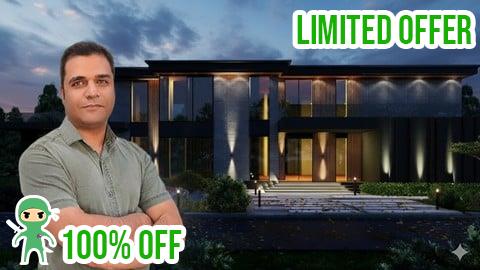
This highly-rated course boasts a 4.8-star-star rating from 4 reviews and has successfully guided 1,022 students in mastering 3D & Animation skills. Featuring 2 hour(s) 1 minute(s) of expert-led content delivered in English, this course offers thorough training to enhance your Social Science expertise. The course details were last updated on December 24, 2024. This coupon code is brought to you by Anonymous.
- Expired on January 03, 2026
- Last Update: January 02, 2026
-
Price:
19.99 $0 $
About This Course
Note: The main difference in this course is that it’s project-based and built around real-world renders. Every concept is taught through hands-on projects and professional tricks that come directly from practice, not theory.
Do you want to create photorealistic daylight, night, and cloudy renders step by step?
Do you know how to balance shadows, reflections, and color to achieve realism in Lumion?
Do you want to learn the exact tricks professionals use for cinematic moods in architecture renders?
Lumion is one of the most powerful tools for architectural visualization, and in this course we’ll go deep into lighting workflows. You’ll learn how to set up scenes, control the atmosphere, and create realistic interior and exterior renders by mastering the full range of effects: daylight, night, alternative night moods, and cloudy skies. Every lesson builds toward professional, portfolio-ready results with clear explanations and test renders at each stage.
Headlines:
Daylight Lighting with Real Sky, Skylight, Hyperlight, and Color Correction
Night Lighting with warm lights, reflections, and cinematic moods
Alternative Night Setups using Sun tricks, Lens Flare, and custom tones
Cloudy Environments with fog, precipitation, and autumn effects
Shadows & Exposure for depth, balance, and natural realism
Analog Color Lab & Color Correction for stylized or realistic tones
Reflections & Materials for glass, water, and wet surfaces
Depth of Field & Handheld Camera for cinematic composition
Test Render Workflow to refine every stage step by step
By the end of this course, you’ll have the skills to create professional photorealistic renders in Lumion 11, 12, and beyond. Don’t hesitate—ask me any question you want throughout the course.